
NB Faceplate for Temperature controllers: Visualization, Operation, Maintenance
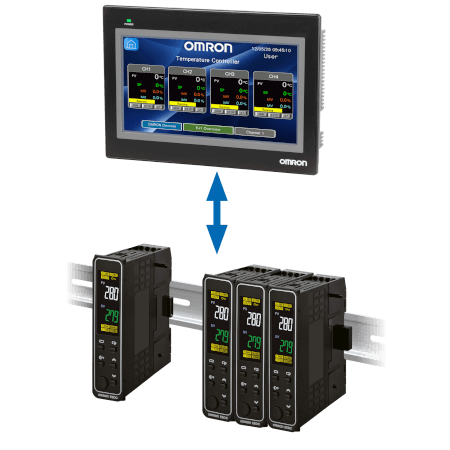

Temperature Controller
Visualization
- Monitor real-time values (e.g., Present value, Set point, Manipulated value).
- View controller status, charts, and alarms.
- Identify anomalies.
Operation
- Starting, stopping, start PID Autotuning, or adjusting machines or processes.
- Setting parameters.
- Executing commands.
Maintenance
- Display diagnostics, error codes.
- Updating device settings.
- Replace and re-configure a new device via the HMI
- Setting parameters.
Related products
Related products
High performance & simplicity
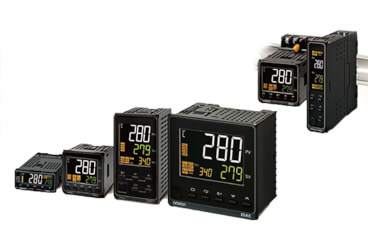
The next generation E5_C temperature controller is setting a new global standard in terms of precision and user-friendly design. Best control performance, easy set-up and outstanding visibility of the white IP66 LCD display have been integrated into a spacesaving housing only 60 mm deep.
Multi loop in-panel temperature controller
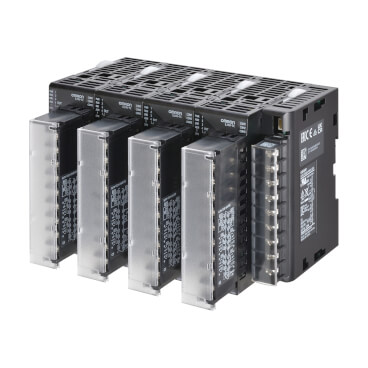
EJ1N is designed to deliver an easy-to-use Multi-Point Control System able to optimize wiring job and space saving thanks to its modular approach
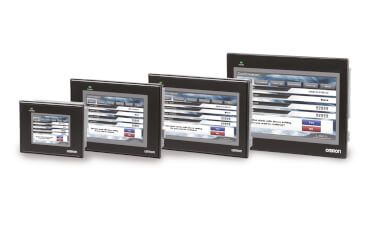
Ideal HMI for Compact Automation
The combination of high quality and rich features offers outstanding value for an economy-class HMI. The V1 model's hardware upgrade significantly improves the user experience with a faster CPU across all models and enhanced brightness and resolution in the 5” and 10” screens.
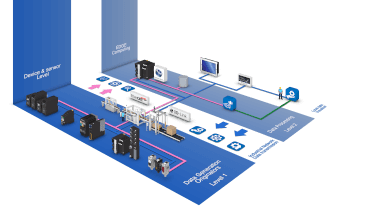
Back to Smart Maintenance
Smart maintenance provides self-explanatory maintenance information in the machinery at sensor level, notification module and remote connectivity.
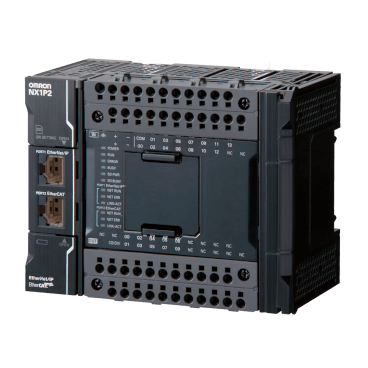
Compact in size, powerful in functionality
The NX1P completes the NX/NJ machine controllers family offering same functionality in a compact design. The NX1P provides synchronized control of all machine devices such as motion, I/O, safety and vision under one Integrated Development Environment.